Super Resolution
More on Adobe Lightroom's new upscale features.


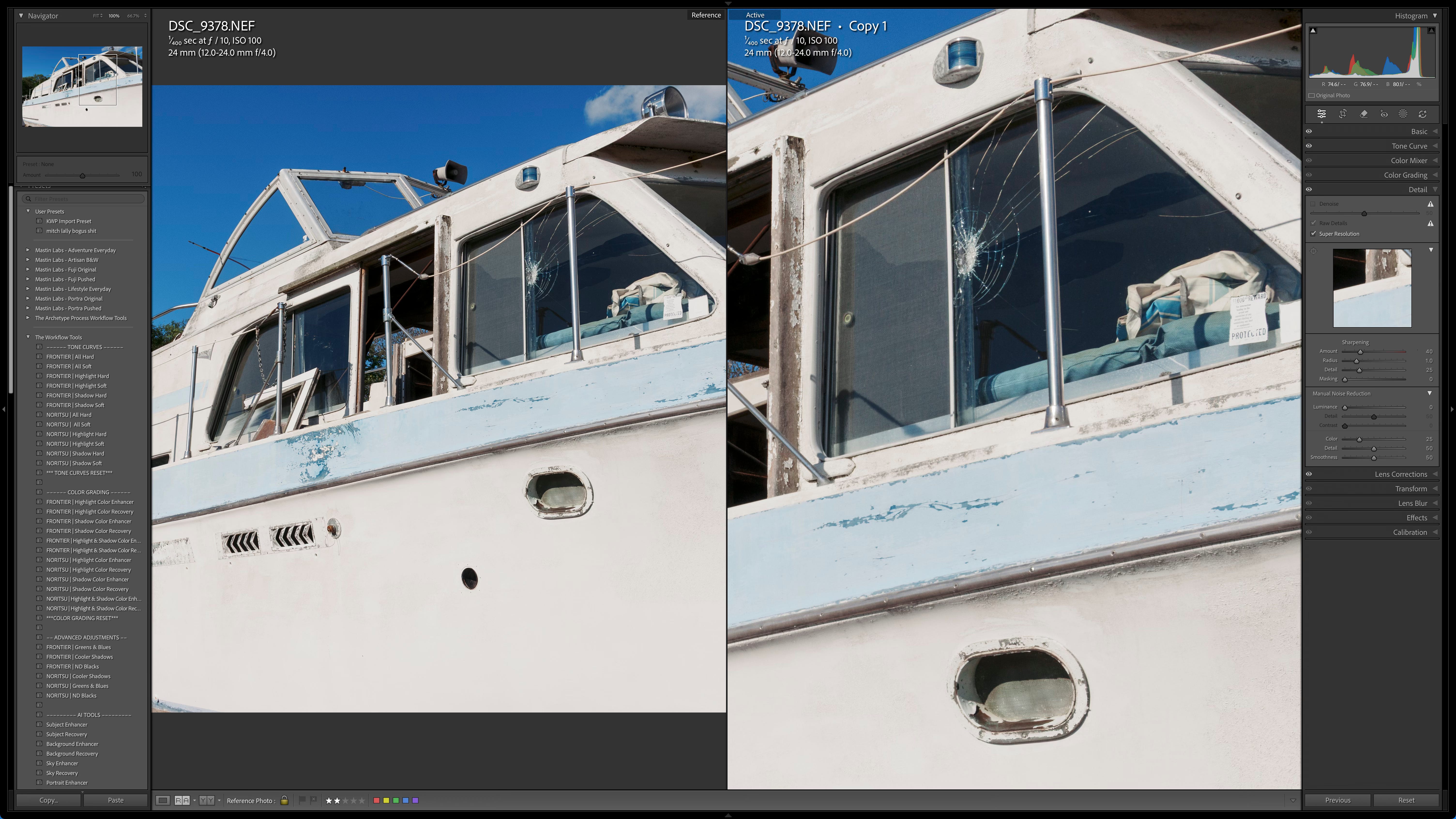
A few weeks ago I did a quick fly-over of some of Lightroom’s new features. The bottom line is that my initial impressions were favorable towards two of them in particular, the “Super Resolution” and the "Denoise”. I rarely use up-res or noise reduction, especially in any large amounts. Typically I don’t need to use either of those tools. I was especially impressed with the new Denoise. If an image really needs noise removal to any high degree, it usually looks fake. I didn’t detect any such horror show fake, cartoon-ness from the new algorithm.
Although I rarely need to up-res images there is the occasional need when the output resolution drops well below 100dpi and viewers are likely to be close. Again my initial impressions were positive but I didn’t have a definitive conclusion. Would the extra manufactured pixels make a real difference in print? Would I perceive more detail? I still have a lot of testing to do but I’ve done quite a bit of testing now and I can say that those extra pixels definitely will show up in prints that are in that fall into the category of “well below 100dpi”.
Take a look at the top illustration. Of course the added resolution shows you how much bigger the image is. It’s crazy more. It’s not just 2x the number of pixels, it’s 4x. Just for fun, and because I will inevitably be called on for opinions in our print workshops I’ve started down the road of an exhaustive evaluation trying to determine a set of parameters for use. The real question is will all those pixels make a visible and obvious positive difference and when…
I dug out a RAW file from way back. This file is from the Nikon D200 era. The files are 12 mega-pixels. Using “Super Resolution” I upsized a few decent candidates. Just to save you the trouble I’ll do a bit of math for you, the new feature turns that 12 mega-pixel file to a 48 mega-pixel file. To asses if those pixels made a difference or would make a difference in a print I compared the original file at 200% to the upsized photo at 100% on my 32” monitor. The bottom line is that there is definitely a positive result with the added pixels.
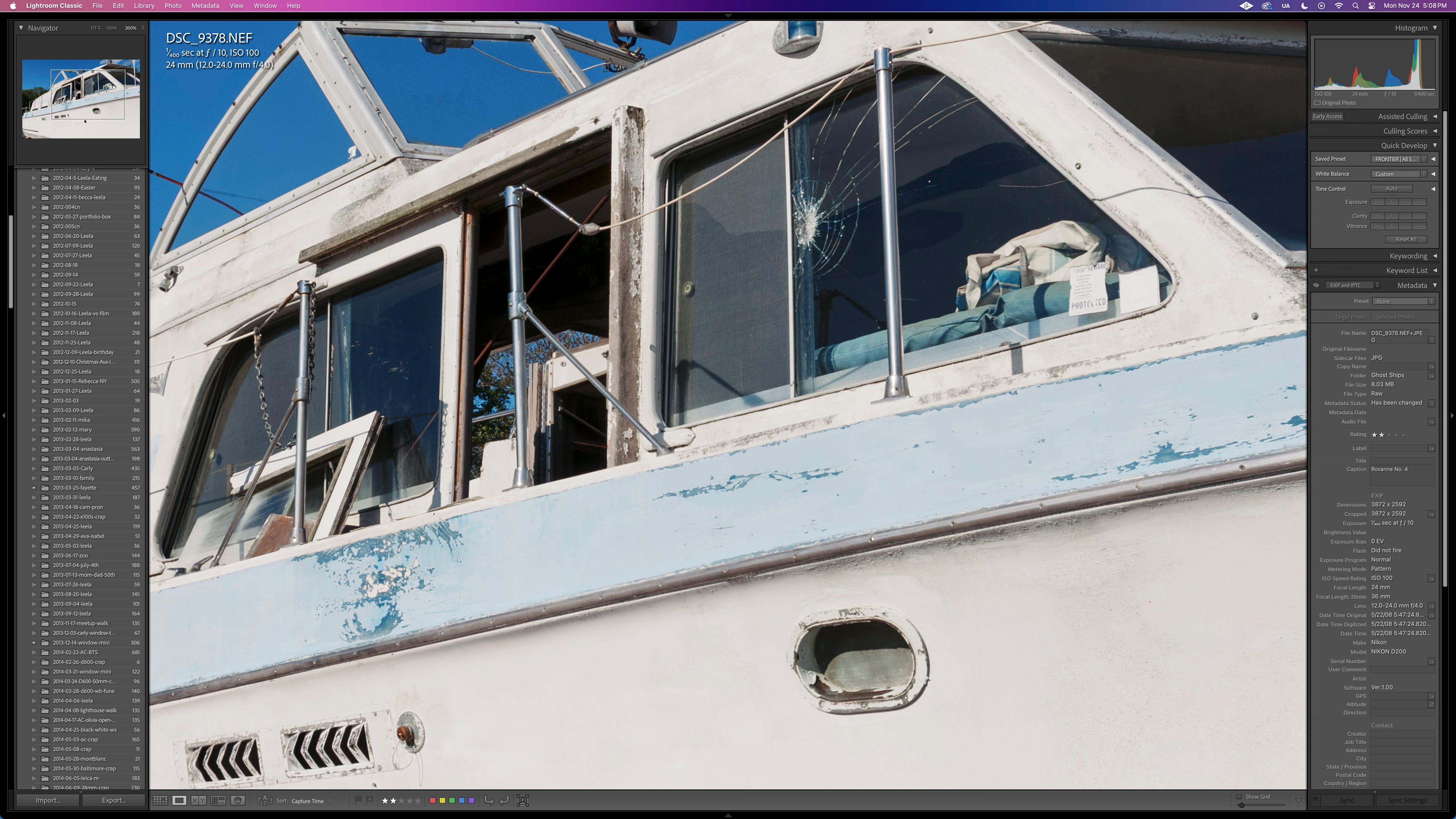
Here’s the screenshot looking at the original file at 200%, you’ll probably need to download the file to look for yourself and I have no idea what kind of compression and size reduction substack does to my original uncompressed PNG so that might cause some issues. Below is the upsized RAW file at 100%
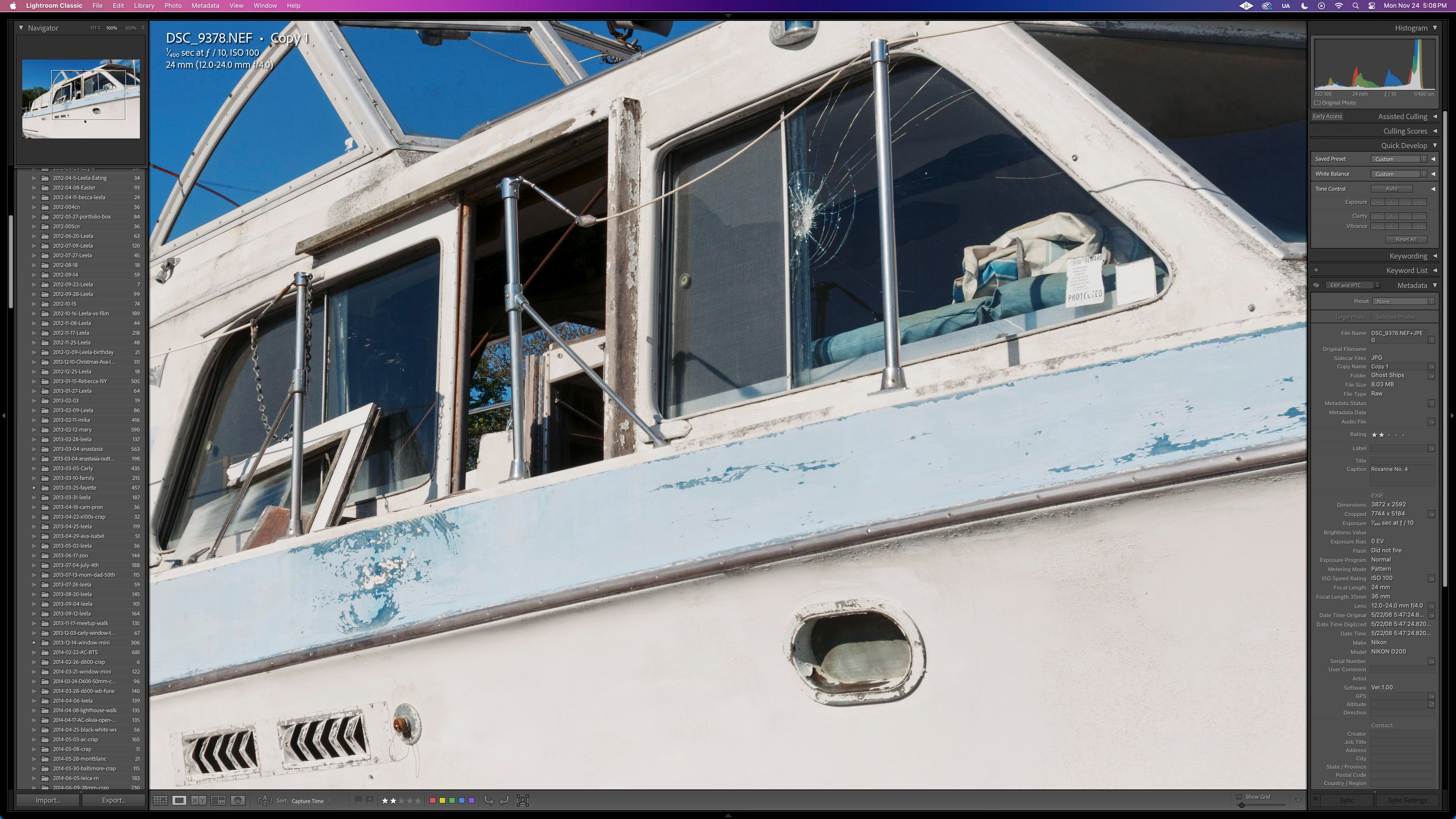
The bad news is that I can see more of this particular lens’s flaws, just like what happens when you buy a new camera at 4x the megapixels (2x the linear resolution) to the one you had. I really disliked the Nikon 12-24mm zoom lens, I think it was my “worst” lens and a primary reason I switched camera brands during the D3x era to Canon… Remember that debacle with the price and Nikon continuing to position APS-C as the “way forward”.
So yes, the extra pixels will definitely make a better print on this image, even with a so-so lens but if your image needs that detail and resolution it’s also going to need a great lens that’s not soft. That softness will show up in the upsized photo. Just for grins I also up-sized a few images from my D2H (4 megapixels upsized to 16 megapixels) shot with far better lenses and I swear they look better than the D200 with the 12-24. I expect you’ll find the same for so-so lenses. If you didn’t like the lens at 12 megapixels you certainly are not going to like it at 48.
My next steps are to use identical lenses on my two Canon bodies, the R6 at 20 mpix up-sized to 60 mpix compared to my 5DsR at 50 mpix. Same subject, same light, same lens to get a much better assessment of just how much difference there is in using a “normal” resolution camera with a good lens upsized vs native resolution in print. I also have a new to-do on my list…. That is the new up-sizing features just released in Photoshop — Generative Upscale By Topaz Labs. I hope to develop reasonable guidelines of when to use each of these tools and when not to. Stay tuned and thank all of you paid subscribers for your support. Love to hear other experiences you’ve had so far with these new tools.
I find myself using Denoise->Upright->Adaptive Color on the majority of my imports to Classic. If I routinely made large prints, I'd probably add Super Resolution. Should follow your lead and take a look at some of my old Nikon images again. Tech is a wonderful thing, when it works. :-)
I can’t comment on Lightroom’s new tools because as you know I don’t use the stuff. You might be interested to know that all my files that we printed in the portfolio workshop in November of 24 were processed with On1’s Noise/sharpening AI. I was waiting to hear you or Les start whining about fake pixels but I heard none of that. And most of those images were shot between 1600 and 2500 ISO with Canon’s superb 100-500 f/5,6-7 zoom. I’ve had their up resing software for a few months now but haven’t tried it. That said, last week I loaded Lightroom Classic because I get it free for teaching at a community college. I may have to do some tests of my own.